Focus right from your phone.
Install Nuzz as a standalone web app. Instant launch, full-screen sessions, and lock-screen push notifications — no App Store required.
Installing on iPhone & iPad
Apple lets any website run as a standalone full-screen app via Safari. It takes under 30 seconds.
- 1
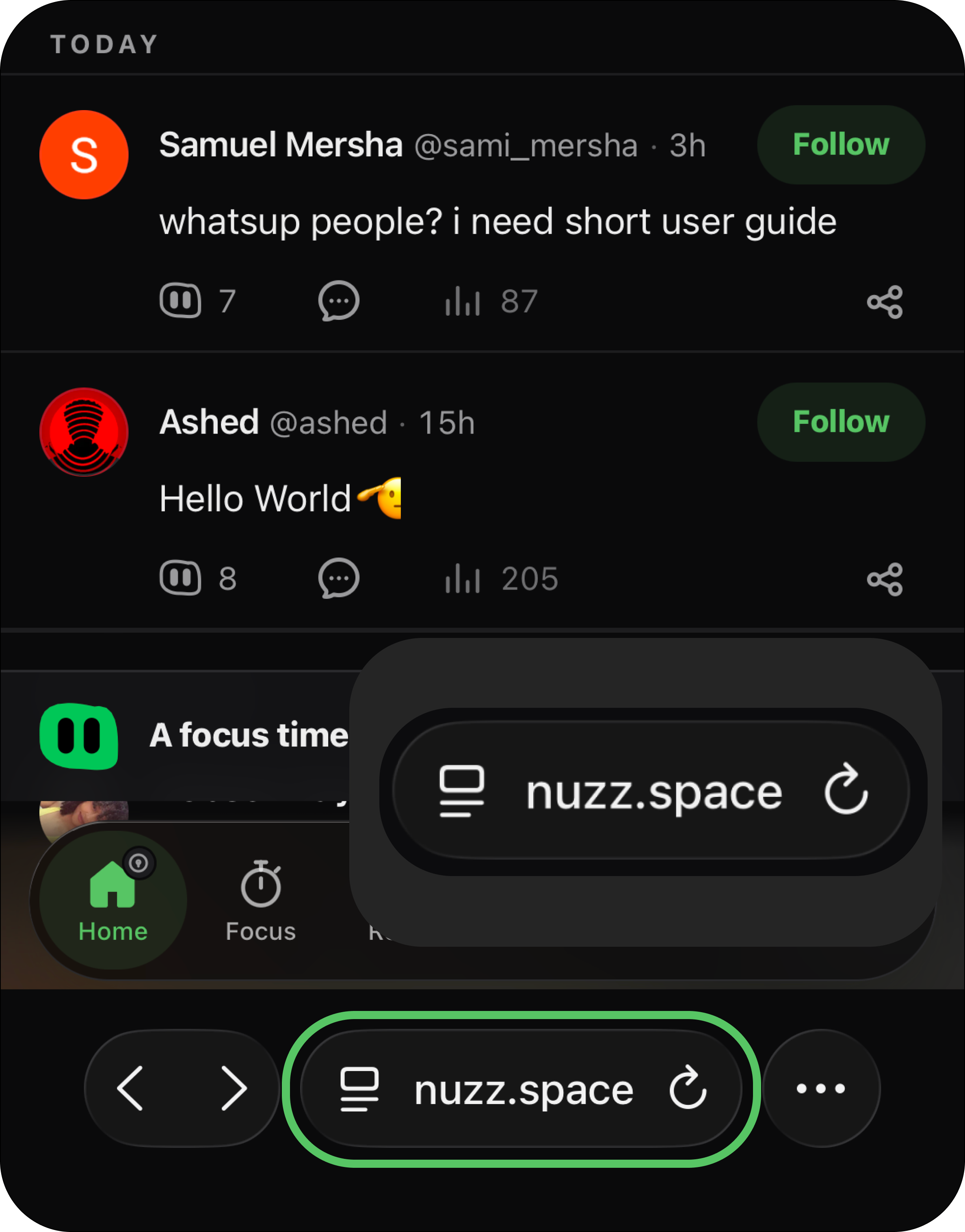
Open in Safari
Visit
nuzz.spaceinside Apple Safari. - 2
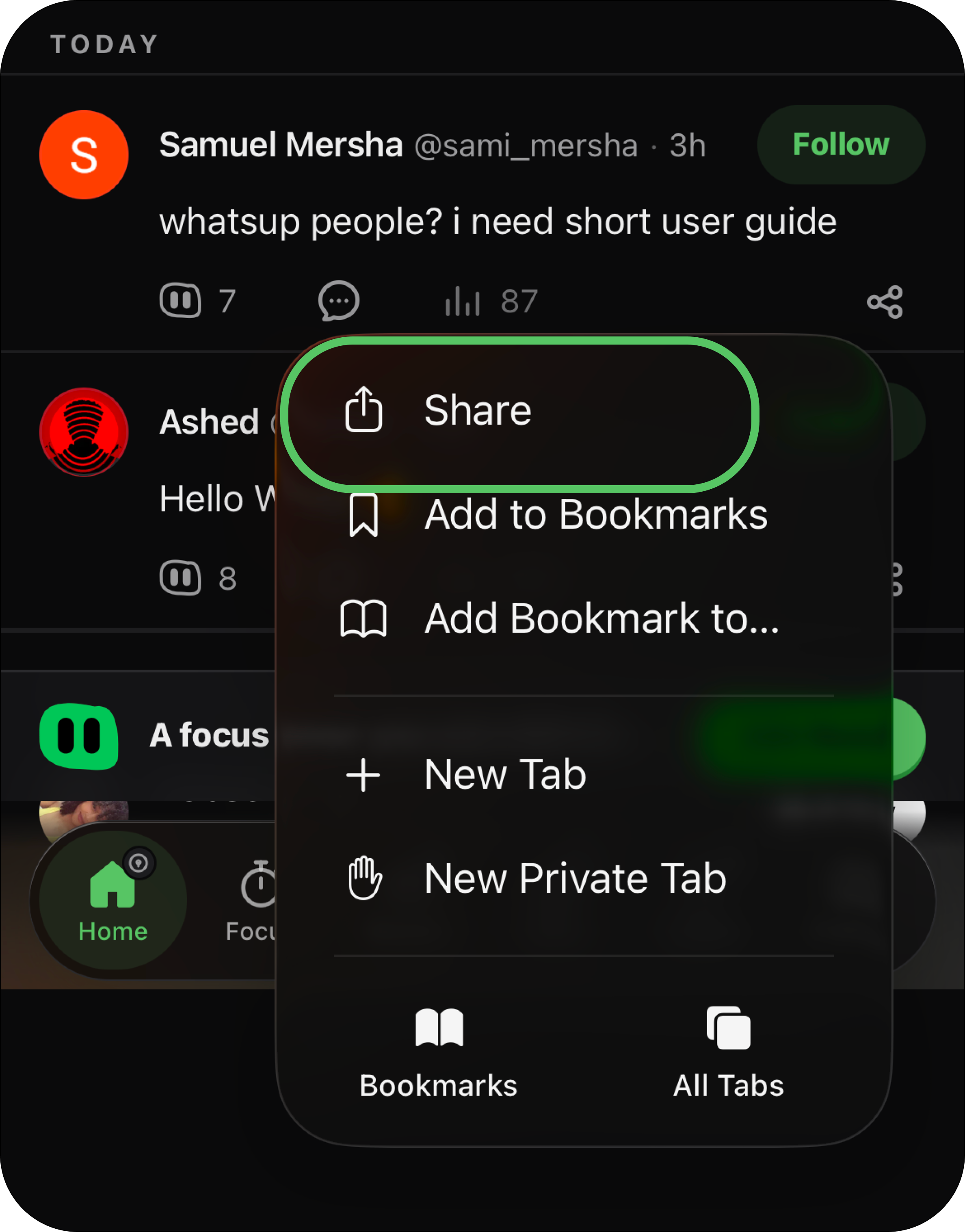
Tap the Share Icon
Tap the Share button at the bottom of your Safari toolbar (the square with an arrow pointing upward).
- 3
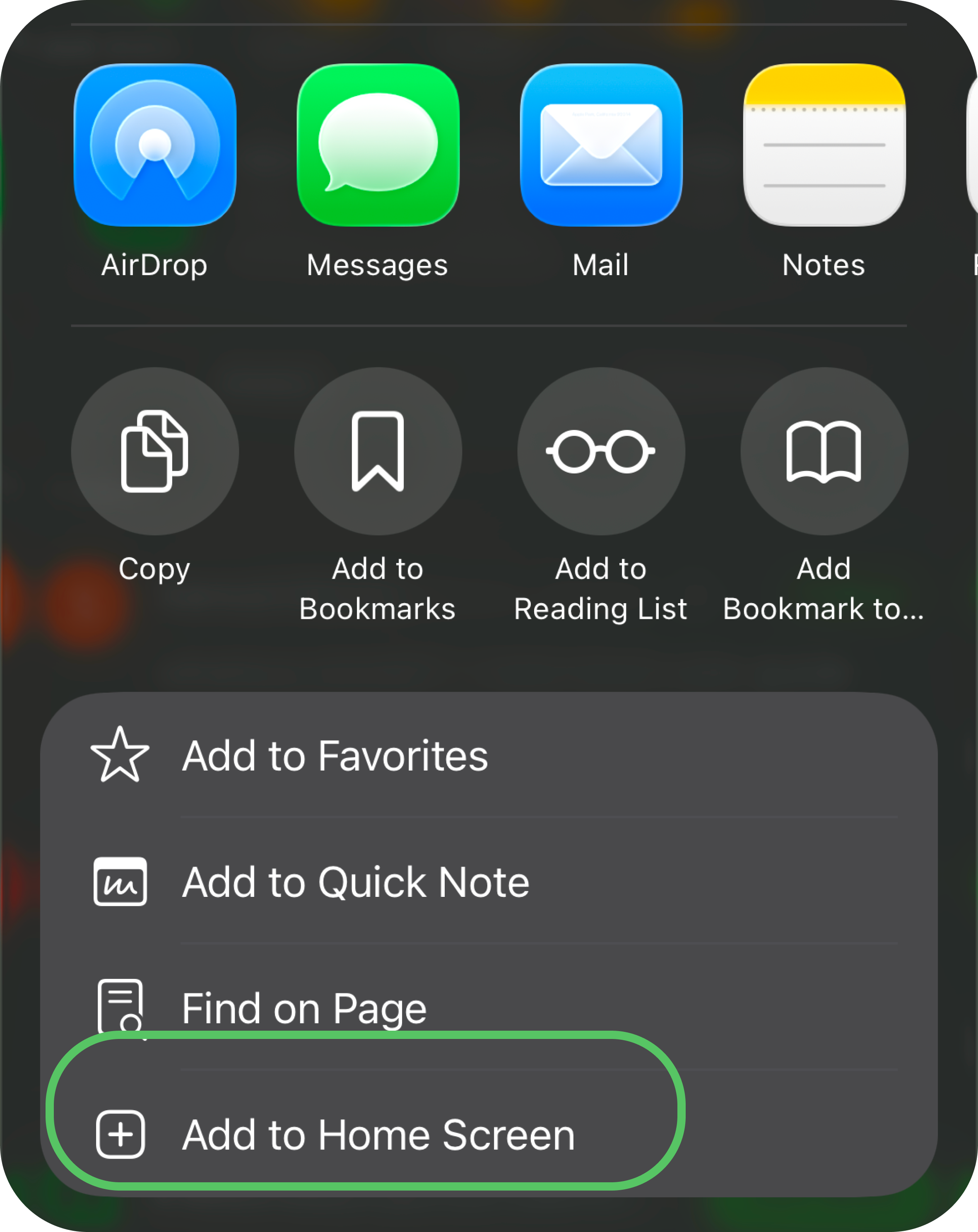
Add to Home Screen
Scroll down through the share sheet actions and tap Add to Home Screen.
- 4
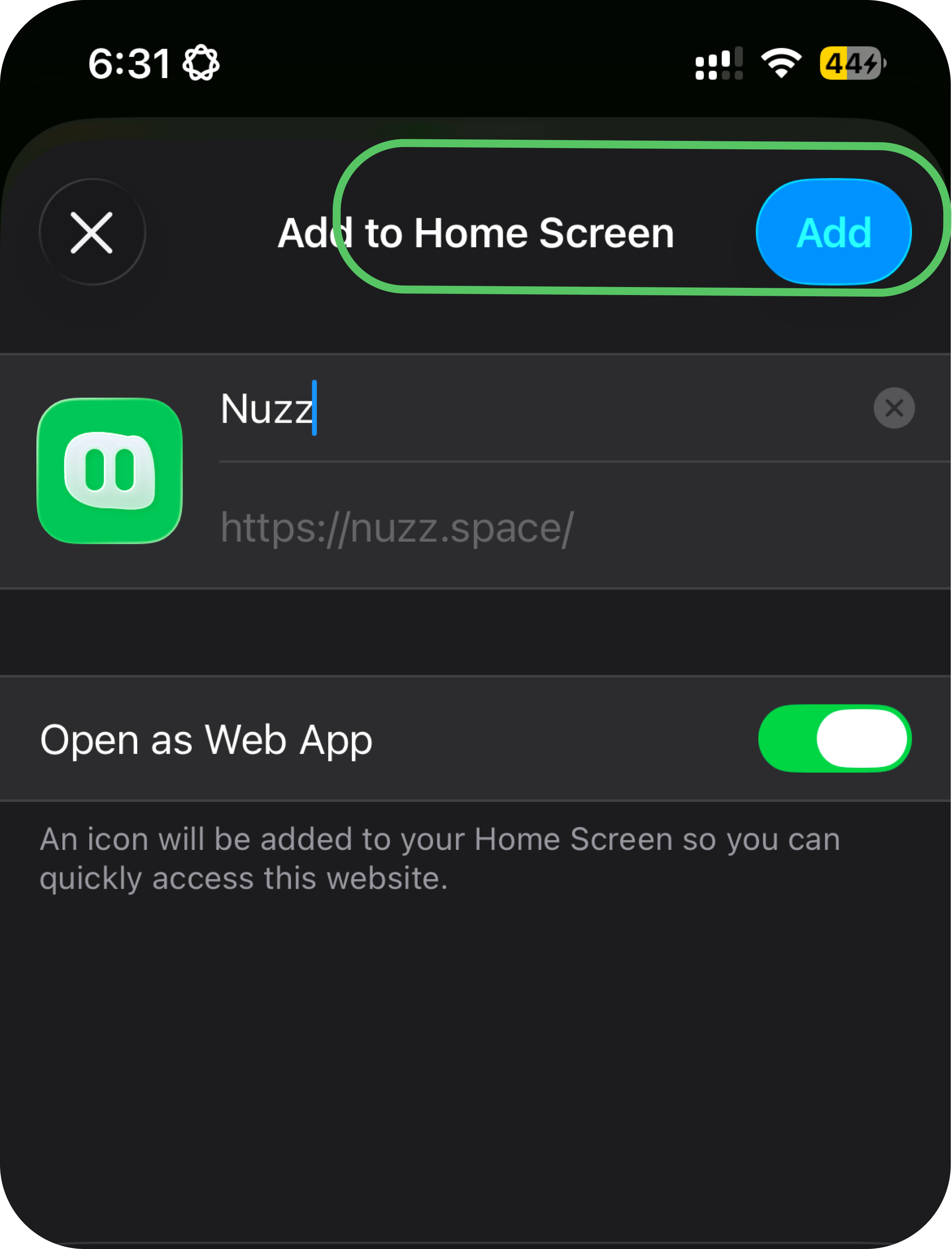
Tap Add & Launch
Tap Add in the upper right. Nuzz will appear on your home screen with its own app icon ready to launch.
What you get on mobile
Instant install
No 100MB downloads or App Store approval delays. Installs in 2 seconds and updates silently in the background.
Lock-screen alerts
Apple Web Push (iOS 16.4+) and Android push alerts for break countdowns, session wrap-ups, and streak reminders.
Ambient audio
Play rain, binaural waves, and focus audio continuously while your session runs.
Works offline
Focus on flights or subway commutes without Wi-Fi. Minutes sync smoothly when you're back online.
Desk camera mode
Pair your phone camera with your laptop screen via QR scan for study rooms and accountability.
Live synced streaks
Start on desktop, check in on phone. Your session stats and streaks stay perfectly in sync.
Frequently asked questions
Why don't I see "Add to Home Screen" on my iPhone?
You are likely viewing Nuzz inside an in-app browser (such as Instagram, TikTok, Slack, or Gmail). In-app browsers do not support Web Apps. Tap the compass icon or share menu in your browser and choose "Open in Safari".
Can I receive lock-screen push notifications on iOS?
Yes. Apple added Web Push support in iOS 16.4+. After adding Nuzz to your Home Screen and opening it, visit Settings and tap "Enable notifications", then tap Allow when prompted.
How do I update Nuzz when a new version is released?
PWAs update automatically. Every time you open Nuzz on your phone, it checks for updates and seamlessly loads the freshest build without any store downloads.